How Do I Organize My Mobile Office (Popl) Profile?

Whisp Support
Last Update 4 anni fa
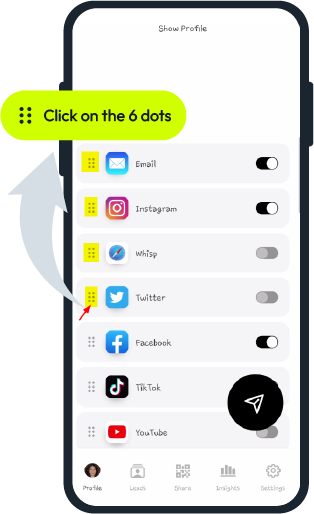
In the profile just click on the 6 dots on the left side of the icon and drag it up or down to a new position.
For more help with your Mobile Office click here


Whisp Support
Last Update 4 anni fa
In the profile just click on the 6 dots on the left side of the icon and drag it up or down to a new position.
For more help with your Mobile Office click here
Was this article helpful?
0 out of 0 liked this article
Still need help?